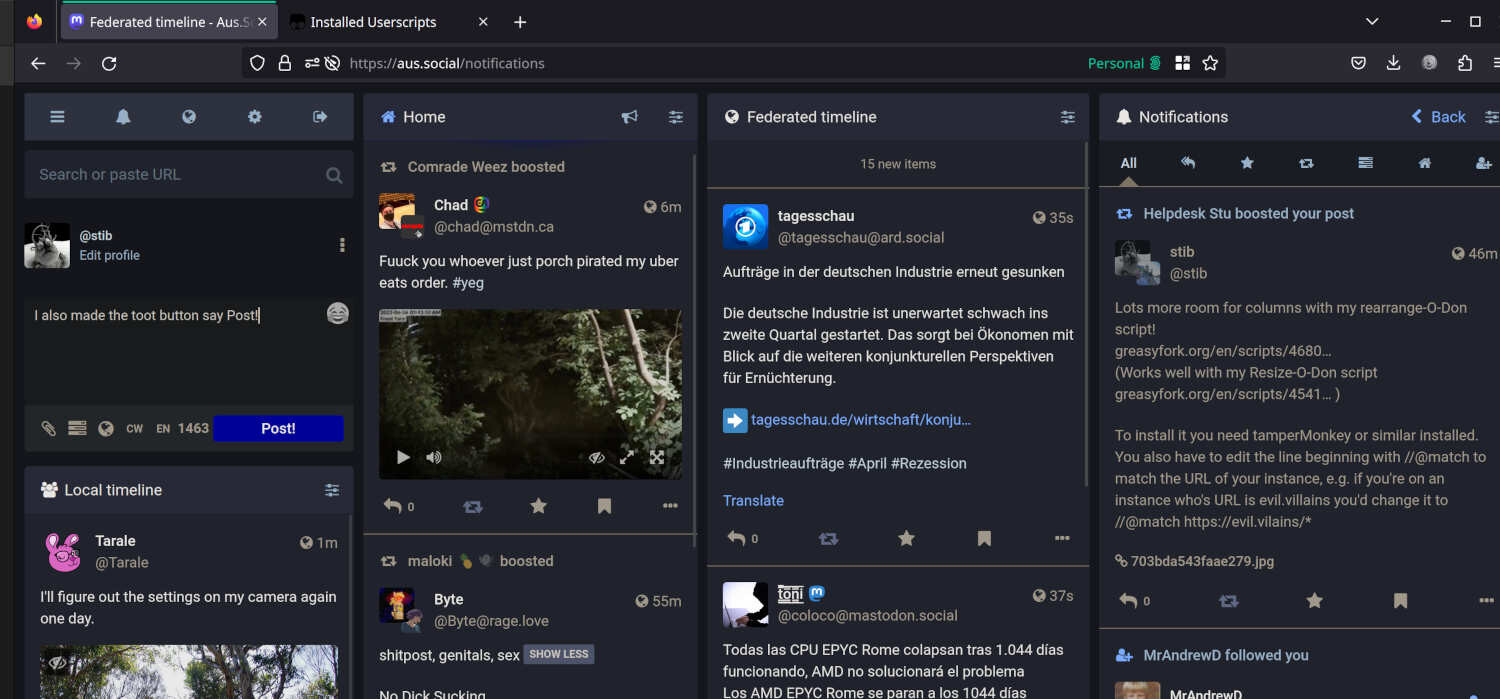
If it annoys anyone else that the columns in the #Mastodon advanced view aren't resizable, I made a little jigger that lets you stretch and shrink them to your heart's content (with help from @zmotions@mastodon.online)
https://greasyfork.org/en/scripts/454111-resize-o-don
==Update== I've also made a script that moves the Navigation bar, search and compose message elements of the Mastodon advanced web interface out of their own column and on to the top of the first content column, freeing up space.
https://greasyfork.org/en/scripts/468037-rearrange-o-don
==Update to the update (2024/07)== the re-arrange-o-don script doesn't seem to work well with recent versions of the Mastodon web interface, if you have trouble composing toots, I'd suggest you don't use it. The resize-o-don script still works fine.
You need to install a #UserScript addon like #TamperMonkey (https://tampermonkey.net ) or similar to run it, and then you can install my script from greasyfork: https://greasyfork.org/en/scripts/454111-resize-o-don
#HackMastodon